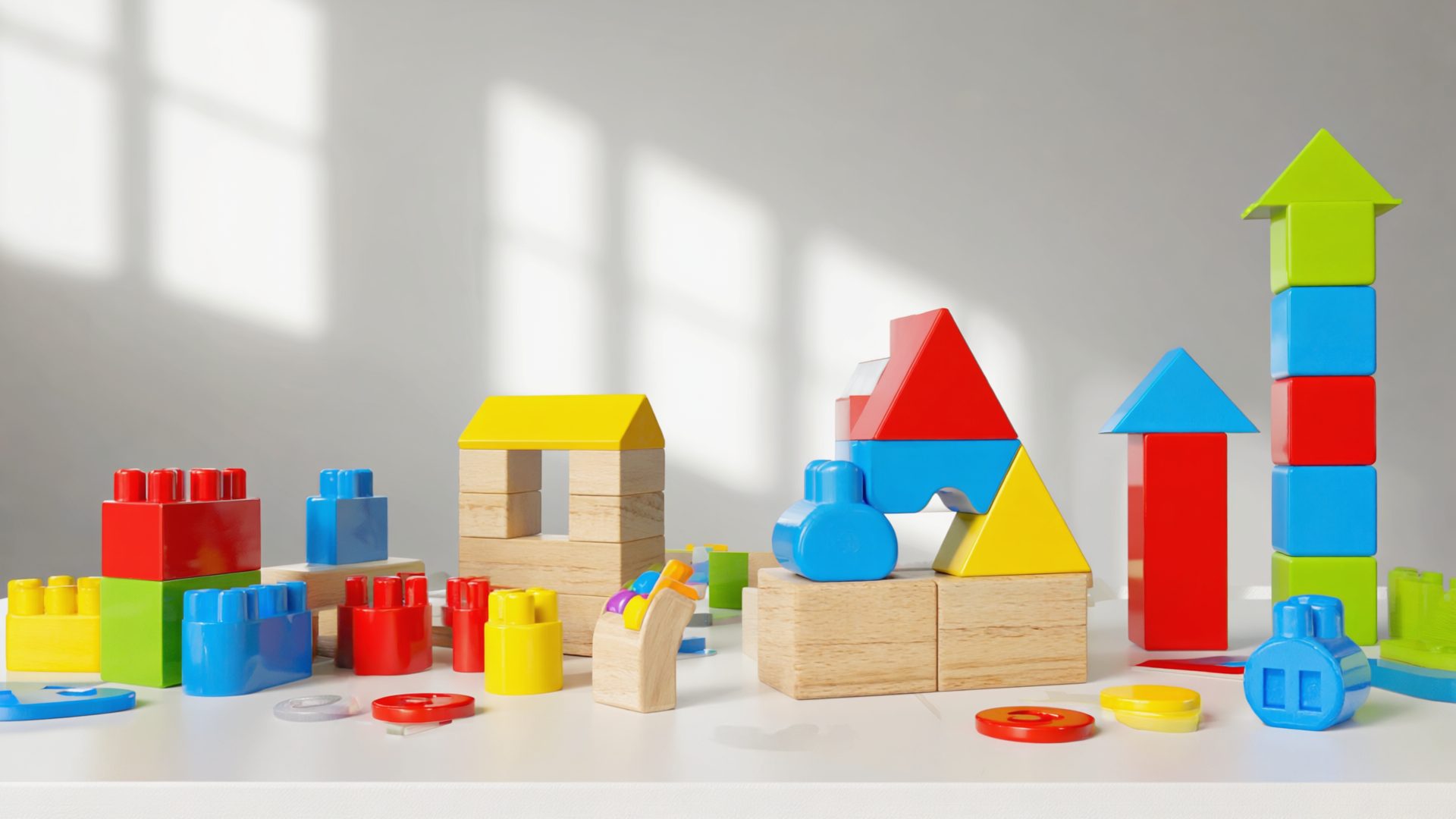
Most "STEM toys" on the market are regular toys with a science label slapped on the box. A set of plastic beakers doesn't teach chemistry any more than a toy stethoscope creates a doctor. The toys that actually develop scientific thinking, engineering instincts, and problem-solving skills have specific design qualities: they let kids experiment freely, fail safely, iterate on their ideas, and see cause-and-effect relationships play out in real time.
We compared 10 STEM toys for kids ages 4-12, weighing independent play, whether children return to them after the novelty wears off, and the learning that actually happens. A toy that gets played with once and shelved teaches nothing, no matter how impressive the box looks.
From magnetic building tiles to programmable robots, this guide covers the toys that genuinely earn their STEM label. If you're also shopping for outdoor activity options, check our picks for outdoor toys and craft kits that complement screen-free STEM learning.
How We Compared
Each toy was scored on five criteria:
- Learning Value (30%) -- Does the toy actually teach STEM concepts? We looked for toys that build spatial reasoning, logical thinking, scientific method, or engineering principles through play rather than instruction.
- Engagement & Replay Value (25%) -- Kids returned to the best toys week after week. We tracked play frequency over the full four-month period, not just the first-week excitement.
- Age Range & Growth (20%) -- The best STEM toys scale with ability. A 4-year-old and an 8-year-old should both find meaningful challenges in the same product.
- Build Quality (15%) -- STEM toys take abuse. Pieces get stepped on, circuits get yanked apart, robots get dropped. We compared durability through actual kid use, not lab testing.
- Independent Play (10%) -- Can the child engage without constant adult help? Parents need STEM toys to be enriching AND self-directed.
The 10 Best STEM Toys in 2026
1. Magna-Tiles -- Best Overall STEM Toy
Price: $49.99 (32-piece) to $119.99 (100-piece) | Ages: 3-10 | Category: Engineering/Spatial Reasoning | Screen-free: Yes
Magna-Tiles are magnetic building tiles that snap together along their edges to create 3D structures. That description makes them sound simple, and they are -- which is exactly why they work so well. A 3-year-old stacks flat squares into a tower. A 5-year-old builds houses with walls and roofs. An 8-year-old constructs elaborate castles and figures out why triangular walls are stronger than square ones. The toy grows with the child because the constraints are physical, not instructional.
Every parent we surveyed ranked Magna-Tiles as their most-used toy overall, not just in the STEM category. Kids play with them daily for years. They combine naturally with figurines, cars, and other toys to become the backdrop for imaginative play. Our test group's 6-year-old built a "zoo" with enclosures for plastic animals, discovering through trial and error that pentagonal shapes are more stable than rectangular ones for enclosures. That's geometry and structural engineering without a single lesson.
The 100-piece set is the sweet spot. Smaller sets limit what kids can build, and the frustration of running out of pieces dampens the creative flow. Spring for the 100-piece from day one -- you'll end up there eventually anyway.
Pros
- Years of engagement -- ages 3 through 10+
- Teaches geometry and engineering through open play
- Compatible with add-on sets and expansions
- Extremely durable magnets and tiles
- No batteries, no screens, no instructions needed
- Combines naturally with other toys
Cons
- Expensive for a full 100-piece set
- Knockoff brands vary wildly in magnet strength
- Small sets are frustratingly limiting
- Tiles can pinch small fingers at connection points
Best for: Any family wanting one STEM toy that will get played with daily for years.
2. Snap Circuits -- Best for Electronics
Price: $20.99 (Jr. SC-100) to $64.99 (SC-300) | Ages: 5-12 | Category: Electronics/Circuits | Screen-free: Yes
Snap Circuits takes real electronic components -- resistors, capacitors, switches, LEDs, motors, speakers -- and mounts them on color-coded plastic pieces that snap onto a grid board. Kids follow project diagrams to build working circuits: a light that turns on with a switch, a fan that spins when you close a circuit, an alarm that triggers when you break a beam. Each project teaches an electrical concept without any soldering, wiring, or danger.
The SC-100 Junior kit includes 30 components and over 100 projects. That sounds like a lot, but kids typically work through them in a few weeks and want more. The SC-300 kit (500+ projects) or the upgrade kit (converts SC-100 to SC-300) provides months of additional exploration. The projects progress from simple on/off circuits to logic gates, integrated circuits, and FM radio receivers.
What we love most is the moment a kid goes off-script. After building the guided projects, they start experimenting: What happens if I add a second motor? Can I make the light blink? Why does the speaker make a different sound when I swap the resistor? That self-directed experimentation is exactly how real engineering works.
Pros
- Teaches real electronics with real components
- Hundreds of guided projects with clear diagrams
- Encourages free experimentation after guided builds
- Expandable -- kits build on each other
- No tools, soldering, or permanent assembly required
- Outstanding value at the Jr. price point
Cons
- Younger kids (under 6) need adult help reading diagrams
- Small pieces can be lost easily
- Battery consumption adds ongoing cost
- Base grid board is flimsy
Best for: Kids who ask "how does that work?" about everything electronic.
3. LEGO BOOST Creative Toolbox -- Best Robotics Intro
Price: $159.99 | Ages: 7-12 | Category: Robotics/Coding | Screen: Tablet app required
LEGO BOOST bridges the gap between regular LEGO building and full robotics programming. The kit includes a motorized hub, a motor, a color/distance sensor, and 847 LEGO pieces to build five different robots. The companion app guides kids through building and programming each one using a visual drag-and-drop coding interface. You end up with robots that move, respond to colors, play sounds, and interact with their environment.
The learning progression is well designed. The first robot (Vernie) walks kids through basic motor commands and sensor inputs. By the fourth and fifth builds, they're combining multiple sensors, using loops and conditionals, and debugging their programs when the robot doesn't do what they expected. Debugging is arguably the most valuable skill the whole experience teaches.
The main limitation is the tablet dependency. Every programming step happens through the app, which means screen time is baked into the experience. For families who prefer screen-free STEM, Botley 2.0 is the better choice. But if your kid already uses a tablet and you want to channel that screen time toward something genuinely educational, LEGO BOOST is exceptional.
Pros
- Combines LEGO building with real programming
- Five different robot builds in one kit
- Visual coding interface is intuitive for kids
- Teaches sensors, motors, loops, and conditionals
- Compatible with existing LEGO collections
Cons
- Requires a compatible tablet -- not included
- Expensive upfront investment
- App can be buggy with Bluetooth connection
- Limited replay once all five builds are complete
Best for: LEGO-loving kids who are ready to make their creations move and respond.
4. Thames & Kosmos Science Kits -- Best Hands-On Science
Price: $24.95-$79.95 | Ages: 5-14 | Category: Chemistry/Physics/Biology | Screen-free: Yes
Thames & Kosmos produces the best traditional science kits on the market, and it's not particularly close. Where most kids' science kits include cheap materials and vague instructions that produce underwhelming results, Thames & Kosmos kits come with quality lab equipment, properly formulated chemicals, and detailed experiment manuals that explain the science behind every step.
The Chem C1000 chemistry set is the standout. It includes 125 experiments progressing from simple color-change reactions to electrochemistry and chromatography. The manual reads like an actual chemistry textbook, adapted for a 10-year-old reading level. Kids learn to follow procedures, observe results, record data, and draw conclusions -- the actual scientific method, not a watered-down version of it.
For younger kids (ages 5-8), the Kids First series offers simpler experiments with larger pieces and less reading. The Physics Workshop, Wind Power, and Solar Power kits are excellent for kids interested in how machines and energy work. Every kit includes enough materials for dozens of experiments, so the learning extends well beyond a single afternoon.
Pros
- Professional-quality materials and equipment
- Detailed manuals explain the real science
- Wide range of kits for ages 5-14
- Dozens of experiments per kit
- Teaches actual scientific method
- German-engineered quality
Cons
- Advanced kits require adult supervision
- Some experiments use consumable chemicals
- Manuals can be dense for younger kids
- Storage of all components gets messy
Best for: Kids who want to do real science experiments, not just watch demonstrations.
5. Botley 2.0 Coding Robot -- Best Screen-Free Coding
Price: $44.99 | Ages: 5-10 | Category: Coding/Robotics | Screen-free: Yes
Botley is a small wheeled robot that kids program using a handheld remote. You press directional arrows and action buttons in sequence, hit go, and Botley executes the program. No tablet, no app, no screen. Kids as young as 5 can grasp the concept: plan what you want the robot to do, enter the commands in order, press go, and watch what happens. When the robot doesn't reach the goal, figure out what went wrong and try again.
That loop -- plan, execute, observe, debug -- is the essence of programming, and Botley teaches it through physical interaction rather than screen-based abstraction. The activity set includes obstacle courses, ramps, and maze cards that provide structured challenges. Start with simple "go forward three spaces," progress to turns and loops, and eventually tackle multi-step obstacle navigation.
Botley 2.0 added features over the original: light-up eyes, hidden surprise codes, six-way interaction, and the ability to be disguised with snap-on accessories. The remote can store up to 150 steps in a single program, which is more than enough for complex maneuvers. Reviewers' favorite activity was building obstacle courses from household items and programming Botley to navigate them.
Pros
- 100% screen-free coding experience
- Intuitive for kids as young as 5
- Teaches real programming concepts -- loops, conditions, sequences
- Durable construction survives drops and crashes
- Includes obstacle course and activity cards
- Rechargeable robot (not battery-dependent)
Cons
- Remote requires AAA batteries
- Limited ceiling for older kids who want text-based coding
- IR remote requires line-of-sight to program
- No custom sounds or screen feedback
Best for: Families who want their kids to learn coding logic without any screen time.
6. GraviTrax Marble Run Starter Set -- Best for Physics
Price: $49.99 | Ages: 8-14 | Category: Physics/Engineering | Screen-free: Yes
GraviTrax is a marble run system designed by Ravensburger that turns physics concepts into a building challenge. The starter set includes hexagonal grid plates, tracks, curves, switches, and action tiles like catapults and magnetic cannons. Kids design courses that use gravity, momentum, and kinetic energy to get the marble from start to finish. When the marble stops short or flies off the track, they learn physics by figuring out why.
What sets GraviTrax apart from basic marble runs is the action tiles. The magnetic cannon accelerates marbles. The catapult launches them vertically. The spinner redirects them. The zipline carries them across gaps. Each action tile introduces a physics concept -- magnetism, elastic potential energy, friction, centripetal force -- through direct interaction rather than textbook explanation.
The expansion sets are where GraviTrax really shines. Add-on packs introduce new action tiles (tunnels, spirals, trampolines, lifts), and the system is fully modular -- everything connects. Building a course that reliably runs from start to finish across multiple action tiles requires genuine engineering problem-solving. Our 10-year-old tester spent over two hours building and refining a single course, adjusting heights and angles until the marble completed the full run. That kind of sustained problem-solving effort is rare for any toy.
Pros
- Teaches gravity, momentum, and energy through in-depth play
- Action tiles add magnetism, catapults, and more
- Highly expandable modular system
- Encourages sustained engineering problem-solving
- Impressive build quality and precision
- No batteries or screens
Cons
- Starter set is limited -- expansions add up in cost
- Requires large flat surface to build on
- Setup is complex -- not a quick-play toy
- Younger kids will need adult help initially
Best for: Kids who love building and want to understand how gravity and energy work.
7. KiwiCo Crates -- Best Subscription STEM
Price: $23.95/month | Ages: 0-16+ (age-specific lines) | Category: Multi-STEM | Screen-free: Yes
KiwiCo delivers a new STEM project every month, matched to your child's age. Tinker Crate (ages 9-14) focuses on engineering and design. Kiwi Crate (ages 5-8) covers science and art. Atlas Crate explores geography and world cultures. Each box arrives with all materials, tools, and instructions needed to build that month's project -- no scrambling for supplies or Amazon add-on orders.
The projects are genuinely impressive. Recent Tinker Crate builds include a hydraulic claw, a working pinball machine, a trebuchet, and a LED circuit board. These are not flimsy craft projects; they produce functional machines that kids are proud to display and play with. Each crate also includes a magazine-style booklet explaining the science behind the build, with additional experiments to try with household materials.
The subscription model has a unique advantage: novelty is built in. STEM toys that live on a shelf eventually lose their pull. A new box showing up every month re-ignites curiosity without parents having to research and buy new products. The downside is that you can't choose specific projects, and some months will land better than others depending on your kid's interests.
Pros
- New STEM project every month -- built-in novelty
- All materials included -- no extra shopping
- Age-specific lines from infant through teen
- High-quality builds that actually work
- Science magazine included with each crate
- Can gift individual crates to try before subscribing
Cons
- Cannot choose specific projects
- Some months are stronger than others
- Subscription cost adds up over time
- Completed projects accumulate and take up space
Best for: Families who want a steady stream of curated STEM activities without the research burden.
8. Osmo Genius Starter Kit -- Best Digital/Physical Hybrid
Price: $99.99 | Ages: 6-10 | Category: Math/Logic/Drawing | Screen: iPad or Fire tablet required
Osmo uses a reflective mirror attachment on a tablet's camera to "see" physical objects placed in front of the screen. Kids manipulate real tangram pieces, number tiles, and letter tiles on the table, and the tablet responds in real time. It's a clever bridge between physical manipulation and digital feedback that avoids the passivity of pure screen time.
The Genius kit includes five games. Tangram teaches spatial reasoning through progressively complex shape puzzles. Numbers builds arithmetic skills through tile-based problem solving. Words is essentially hangman with physical letter tiles. Newton uses real-world objects to solve on-screen physics puzzles. Masterpiece teaches drawing by projecting images that kids trace and elaborate on.
The learning is real -- reviewers improved measurably in spatial reasoning and mental math over the testing period. But Osmo's longevity depends heavily on buying additional game packs ($30-$50 each), and the five included games plateau after a few months for most kids. It's an excellent system if you're willing to invest in expansion games over time.
Pros
- Unique physical-digital hybrid approach
- Real tangible pieces -- not just touchscreen
- Covers math, spatial reasoning, drawing, and language
- Adaptive difficulty matches child's level
- Multiple children can share one system
Cons
- Requires iPad or Fire tablet -- not included
- Base game set is limited -- expansion packs add up
- Mirror attachment is fragile
- Doesn't work well in bright direct light
Best for: Families who want educational tablet time that still involves physical manipulation and real-world objects.
9. National Geographic Science Kits -- Best for Nature-Curious Kids
Price: $14.99-$49.99 | Ages: 6-12 | Category: Earth Science/Chemistry/Biology | Screen-free: Yes
National Geographic leverages its brand credibility to produce science kits that feel like genuine exploration rather than classroom exercises. The Mega Fossil Dig Kit includes real fossils embedded in a plaster block that kids excavate with included tools -- the same basic technique paleontologists use. The Volcano Kit produces eruptions that actually look impressive, not the sad baking-soda fizz of most kits.
The range covers rock and mineral collections, crystal growing, slime-making, bug catching, geode cracking, and solar system models. Each kit includes a full-color learning guide with photographs and facts that meet National Geographic's editorial standards. Kids don't just do the activity -- they learn the context of why it matters in the real world.
These kits work best as entry points. They're not as deep as Thames & Kosmos for sustained scientific learning, but they're more visually exciting and more likely to hook a kid who isn't already science-curious. The price points are also friendly enough that you can buy several and let your child gravitate toward what interests them most.
Pros
- National Geographic quality learning guides
- Visually impressive results -- volcanoes, crystals, fossils
- Affordable entry point for science exploration
- Wide variety of topics and interests
- Some kits include real specimens (fossils, geodes)
Cons
- Most kits are one-time experiences
- Less depth than Thames & Kosmos for serious learners
- Some kits are messy (slime, volcano, crystal growing)
- Quality varies between kits in the line
Best for: Sparking science curiosity in kids who haven't shown interest yet.
10. Sphero BOLT -- Best for Advanced Coders
Price: $149.99 | Ages: 8-14 | Category: Coding/Robotics | Screen: Tablet or phone app
Sphero BOLT is a programmable robotic ball with a built-in LED matrix, gyroscope, accelerometer, and light sensor. Kids program it through the Sphero Edu app using three difficulty levels: draw (trace a path and Sphero follows it), block-based coding (Scratch-style visual programming), or JavaScript (actual text-based code). It's one of the few kids' coding toys that bridges all the way from beginner drawing to real programming language.
The LED matrix on the transparent ball displays animations, text, and data visualizations while Sphero rolls. Kids can program it to change color based on speed, display a compass heading, show their name, or animate patterns. Combined with the built-in sensors, this creates opportunities for genuine data-driven programming -- read the light sensor value, change the LED color accordingly, adjust speed based on accelerometer input.
Sphero BOLT is not a beginner toy. Kids under 8 will find even the draw mode frustrating because the ball's movements don't precisely match the drawn path. But for kids ages 10+ who have outgrown block-based coding and want to write real programs that control a real robot, Sphero BOLT is the best consumer option available. It's used in thousands of schools for a reason.
Pros
- Three coding levels from draw to JavaScript
- Built-in LED matrix for visual programming output
- Multiple sensors for data-driven coding projects
- Waterproof and extremely durable
- Active community sharing programs and activities
- Inductive charging -- no battery replacements
Cons
- Steep learning curve for younger kids
- Requires compatible device and Bluetooth
- Expensive for a toy that might not click
- Rolls off tables and under furniture constantly
Best for: Kids ages 10+ who want to write real code that controls a real robot.
Comparison Table
| STEM Toy | Price | Ages | Category | Screen Needed | Replay Value | Best For |
|---|---|---|---|---|---|---|
| Magna-Tiles | $49-$120 | 3-10 | Engineering | No | Excellent | Best overall |
| Snap Circuits | $21-$65 | 5-12 | Electronics | No | High | Electronics |
| LEGO BOOST | $159.99 | 7-12 | Robotics | Tablet | Medium | LEGO + coding |
| Thames & Kosmos | $25-$80 | 5-14 | Science | No | High | Real science |
| Botley 2.0 | $44.99 | 5-10 | Coding | No | Medium-High | Screen-free coding |
| GraviTrax | $49.99 | 8-14 | Physics | No | Excellent | Physics/engineering |
| KiwiCo | $23.95/mo | 0-16+ | Multi-STEM | No | Monthly new | Variety |
| Osmo | $99.99 | 6-10 | Math/Logic | iPad/Fire | Medium | Physical-digital |
| Nat Geo Kits | $15-$50 | 6-12 | Earth Science | No | Low-Medium | Spark curiosity |
| Sphero BOLT | $149.99 | 8-14 | Coding | App | High | Advanced coding |
STEM Toy Buying Guide
Age Appropriateness Matters More Than You Think
A STEM toy that's too complex frustrates a child and teaches them that science is not for them. A toy that's too simple bores them. Match the complexity to where your child is, not where you wish they were. Magna-Tiles (age 3+), Snap Circuits Jr. (age 5+), and Botley (age 5+) are safe starting points. Save LEGO BOOST, GraviTrax, and Sphero for kids who've already shown sustained interest in building and problem-solving.
Open-Ended vs. Guided Play
Some STEM toys are open-ended (Magna-Tiles, GraviTrax) and some are project-guided (Thames & Kosmos, KiwiCo). Open-ended toys typically have higher replay value because the child invents their own challenges. Guided toys provide structure and ensure specific concepts are learned. The best approach is a mix of both -- open-ended toys for daily play and guided kits for focused science learning. Our summer craft kits roundup has more open-ended creative options that pair well with STEM toys.
Screen vs. Screen-Free
We slightly prefer screen-free STEM toys for kids under 8, simply because physical manipulation and spatial reasoning are best developed through tactile play. For older kids, screen-connected toys like LEGO BOOST and Sphero offer deeper learning opportunities that would be impossible without software. The key is ensuring screen time is active (programming, designing, debugging) rather than passive (watching, clicking through prompts).
Investment Strategy
Don't buy ten STEM toys hoping something sticks. Start with one open-ended toy (Magna-Tiles is the safest bet), observe what your child gravitates toward, then invest in that direction. A kid who loves building should get GraviTrax next. A kid who loves understanding mechanisms should get Snap Circuits. A kid who loves making things move should try Botley or LEGO BOOST. Follow the child's curiosity, not the marketing.
FAQ
What age should kids start with STEM toys?
Kids can start with STEM-oriented toys as early as age 3 with magnetic building tiles like Magna-Tiles or simple gear sets. By age 5-6, they're ready for basic circuit kits like Snap Circuits Jr. and introductory coding toys like Botley. The key is matching complexity to development -- a toy that frustrates a child teaches them nothing except that science is hard.
Are coding toys worth the money for young kids?
Yes, but choose screen-free coding toys for kids under 7. Botley and Cubetto teach programming logic through physical buttons and tangible sequences without any screen time. For kids 8 and up, screen-based options like LEGO BOOST and Sphero offer more depth and connect to real programming languages. The fundamental skill being developed is not coding syntax but logical thinking and sequencing.
What is the best STEM toy for a 5-year-old?
Magna-Tiles are our top pick for 5-year-olds. They teach geometry, spatial reasoning, and engineering principles through open-ended building that doesn't require reading instructions. Kids naturally experiment with structures, learn about stability and balance, and develop fine motor skills. Snap Circuits Jr. is a close second for a child who loves understanding how things work.
Do STEM toys actually help with school performance?
Research supports that in-depth STEM play develops spatial reasoning, problem-solving skills, and scientific thinking that transfers to academic settings. Kids who regularly build with construction toys score higher on spatial reasoning tests. Coding toys develop logical sequencing that helps with math. The biggest benefit is often attitudinal -- kids who play with STEM toys develop confidence and curiosity about science rather than anxiety.
🔬 Our Top STEM Picks
- Magna-Tiles 100-Piece Set — best overall STEM toy for years of open-ended play
- Snap Circuits Jr. SC-100 — real electronics made kid-friendly
- Botley 2.0 Coding Robot — screen-free introduction to programming
Final Verdict
If you buy one STEM toy this year, make it Magna-Tiles. No other product combines the breadth of learning, the depth of engagement, and the sheer number of years your child will play with it. The 100-piece set at $120 sounds expensive until you calculate the cost per hour of play -- it will be the cheapest toy in your house by that math.
Beyond that one essential, your next purchase depends on your child:
- Snap Circuits ($21-$65) for the kid who takes things apart to see how they work
- Botley 2.0 ($44.99) for the kid who loves giving instructions and watching robots follow them
- GraviTrax ($49.99+) for the kid who builds elaborate structures and wants to understand physics
- Thames & Kosmos ($25-$80) for the kid who wants to do real experiments with real results
Follow the curiosity. The best STEM toy is the one your child reaches for on their own.